Create Proxy Account
You will need to run SSIS package using a proxy account. SQL Server Agent allows creating a proxy account which defines the security context for the job step. Each job step can run under a different security context using different proxies. SQL Server Agent impersonates the credentials (Windows User accounts) associated with the proxy when executing the job step. You can create a proxy and grant access to as many of the available subsystems as needed
Steps
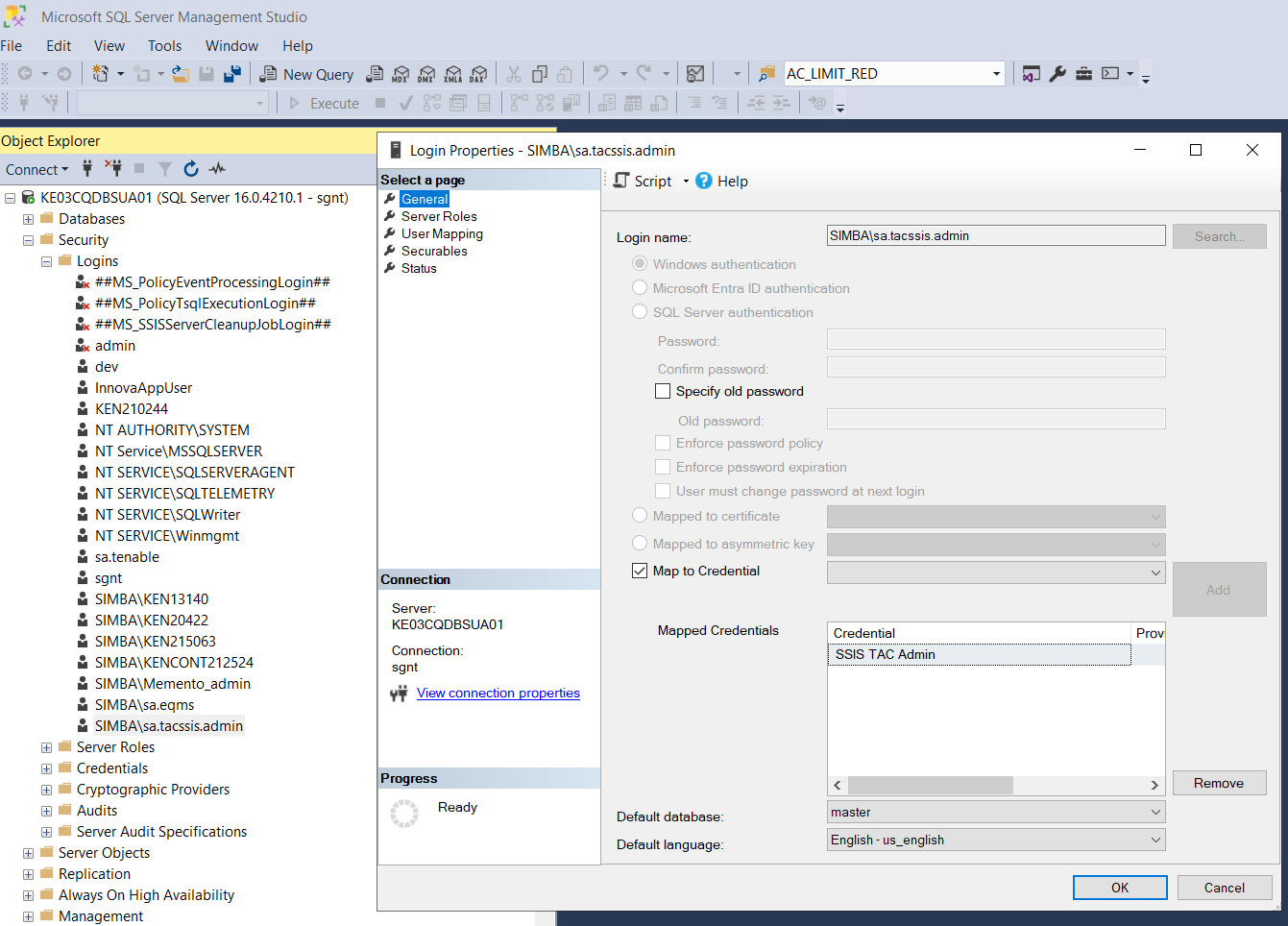
Define the service account as a DB user (login) of the SQL Server and also grant the relevant server roles and DB access.
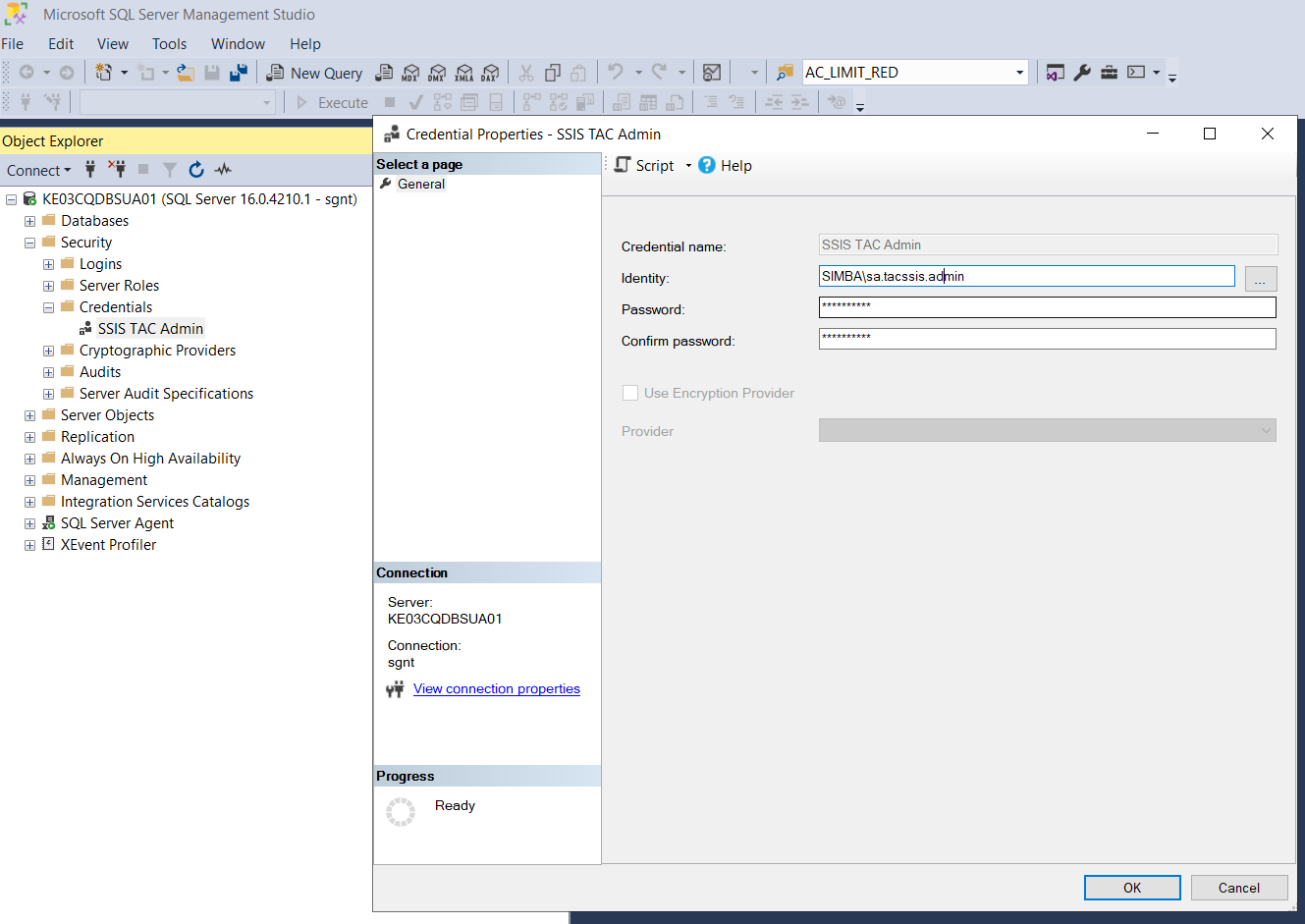
Create a credential
Create proxy account
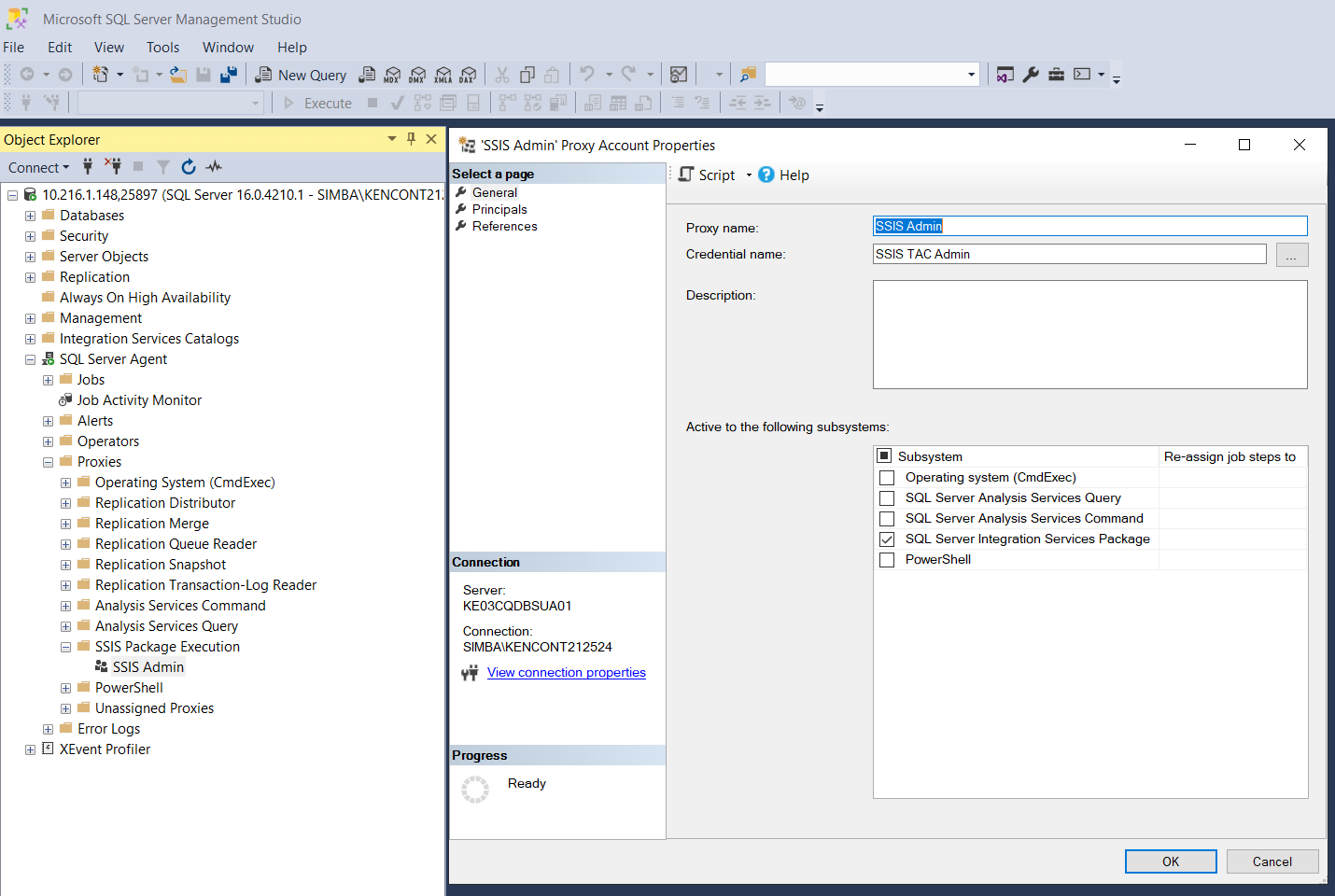
Run as Proxy
After creating a proxy account, you will need to specify that the SQL Server Agent job step should run as the proxy account.
Expand the SQL Server Agent node in the Management Studio interface
Right click on the SQL Server job and click on properties
Under the steps, select each of the specified step and specify the Run As to have the value of the proxy account that you just started